The one-minute check
- Is something busy? Open Activity Monitor (Applications, Utilities) and click CPU. An export, a build, a game or a browser tab near the top means the heat is mostly the work, not the charging.
- Is it in a case or on something soft? A case, a bed or a lap traps the heat from both.
- Click the battery icon in the menu bar. It says whether the Mac is charging, and gives a reason when it isn’t; see Is my MacBook charging?
Common causes, and what to do
Charging plus heavy work
Plugged in, people tend to do the things that use the most power: video, builds, games, big exports. The Mac is making heat from the work and the battery at the same time.
What to do: let the heavy job finish, or pause it if the Mac is uncomfortably hot. The charging heat drops as the battery fills.
A case, a lap or a soft surface
Apple says charging a device inside certain styles of cases may generate excess heat, which can affect battery capacity.
What to do: take it out of the case while it charges and put it on a hard, flat surface.
A hot room
Apple says MacBook works best at 10° to 35° C (50° to 95° F) ambient temperature, and that software may limit charging above 80% when the recommended battery temperatures are exceeded.
What to do: move it somewhere cooler. It’s normal for charging to slow or stop around 80% until the battery cools down.
What not to do
- Don’t charge it under a pillow, a blanket or in a bag. There’s nowhere for the heat to go.
- Don’t mistake the 80% stop for a fault. Heat, Optimized Battery Charging and a Charge Limit can all stop charging around 80% on purpose; the battery menu says which.
Keep an eye on it from the menu bar
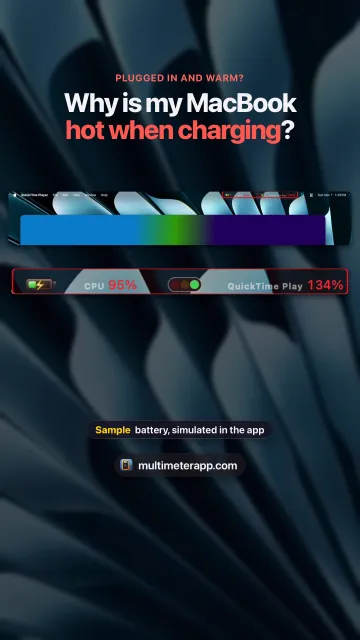
Multimeter keeps the numbers that tell the two kinds of heat apart in the menu bar:
- CPU: total use across all cores. High CPU while charging means the work is the main source of heat.
- Thermal pressure: Nominal, Fair, Serious or Critical, the state macOS uses to decide when to hold performance back.
- Battery: percentage, whether it’s charging, and time until full.
Multimeter’s built-in meters show totals for the whole Mac, not processes. The Busiest process recipe is a Script meter that shows the top process name and its % CPU.
Multimeter is $19.99 once, no subscription, for macOS 13 or later. Get Multimeter
How you know it’s fine
Out of its case on a hard surface, with nothing busy in Activity Monitor, the MacBook is warm rather than hot, and it cools down once the battery is full.
Questions
Is it normal for a MacBook to get hot while charging?
Warm, yes: charging makes heat, and plugged-in Macs are often doing heavy work too. Hot to the touch usually means a case, a soft surface, a hot room or a busy app on top of charging.
Why does my MacBook stop charging at 80% when it’s hot?
Apple says software may limit charging above 80% when the recommended battery temperatures are exceeded. Optimized Battery Charging and a Charge Limit can also stop it at 80%; the battery menu says which.
Should I take my MacBook out of its case to charge it?
If it gets hot, yes. Apple says charging inside certain styles of cases may generate excess heat, which can affect battery capacity.
Can Multimeter show the battery temperature?
No. It shows thermal pressure, the state macOS uses to manage heat, plus CPU and the battery’s charge, not temperatures in degrees.
Sources
- Apple: Batteries, maximizing performance
- Apple: Keep your Mac laptop within acceptable operating temperatures
- Apple: About Optimized Battery Charging and Charge Limit on Mac
- Apple: View CPU activity in Activity Monitor