Find what’s making the fans work
- Open Activity Monitor: press Command-Space, type Activity Monitor and press Return. It’s also in Applications, Utilities.
- Click the CPU tab, then click the % CPU column header until the biggest numbers are at the top.
- Watch it for half a minute. Whatever stays near the top is what’s making the heat.
- Click the Energy tab. Energy Impact shows what’s using energy now, and on laptops 12 hr Power shows the average over the past 12 hours, which catches things that ran while you weren’t looking.
Reading the numbers: % CPU counts each processor core as 100%, so one process can show 150% or 400% on a Mac with several cores. A process that stays at 100% or more for minutes is using at least a whole core’s worth of time. At the bottom of the CPU tab, User is the apps you opened and System is macOS itself.
Common causes, and what to do
Real work
Exporting video, compiling, gaming, a video call with effects on: the fans are doing their job. Apple says it’s normal to hear them during this kind of work, and it’s easier to notice in a quiet room. They slow down when the work is done.
Loud all of a sudden: a runaway app or tab
If the fans spin up while you’re not doing anything new, something has started using the CPU on its own: a stuck app, a page in a tab you forgot, an update downloading or a sync. Activity Monitor’s CPU list shows it. In Chrome, the ⋮ menu, then More tools, then Task manager shows which tab.
What to do: close the tab or quit the app (select it in Activity Monitor and click the Stop button if it won’t quit).
Loud after an update or a new Mac
Apple lists Spotlight indexing as one of the normal reasons fans run, and Spotlight indexes after every software update or upgrade. It can take hours or even days, depending on how much is on your Mac. Look for mds, mds_stores and mdworker in Activity Monitor, or press Command-Space to see Spotlight’s progress indicator.
What to do: leave it plugged in and awake until it finishes. Apple says later updates to the index are much faster.
kernel_task high, fans loud
Apple says high kernel_task use may come with more fan activity: both are the Mac cooling itself. kernel_task isn’t the cause. Quit the busy process under it and both settle down.
A warm room, a soft surface or blocked vents
Apple says high ambient temperatures make fans start sooner and run faster, and that soft surfaces like a couch, a bed or your lap can make them run more. Keep the vents clear and use the Mac on a hard, flat surface.
Loud when charging
Charging warms the battery, which adds to the heat from whatever else the Mac is doing. Take it out of any case while it charges, keep the vents clear, and check Activity Monitor for something busy. Apple also says to use only Apple-authorized power adapters.
Loud when nothing is running
If Activity Monitor shows nothing busy, the room is cool, the vents are clear and the fans still run fast, Apple’s steps are:
- Mac with Apple silicon: close and open the lid, or restart.
- Intel Mac: reset the System Management Controller (SMC). Apple lists “fans are running fast” among the problems an SMC reset can fix.
- Mac Pro: make sure the enclosure is locked and fully seated.
If the fans still run fast with light use and good ventilation, contact Apple Support or visit an Apple Store.
High Power Mode is on
Some MacBook Pro and desktop models have High Power Mode, and Apple says it lets the fans run at higher speeds, so you may hear more fan noise. Check System Settings, Battery (Energy on desktops), Energy Mode.
Making the fans quieter
macOS manages fan speed by itself and has no fan slider. The way to quieter fans is less heat: fix the cause above. One built-in option helps too: on macOS Sequoia 15.1 or later, Apple says Low Power Mode also helps reduce fan noise for tasks done in quieter environments, on Macs with fans. Turn it on in System Settings, Battery (Energy on desktops), Energy Mode, or from Control Center.
MacBook Air with Apple silicon has no fan. If it gets hot, it slows down instead of getting louder, so there’s no fan noise to fix; see Why is my Mac so hot? for finding the cause.
Keep an eye on it from the menu bar
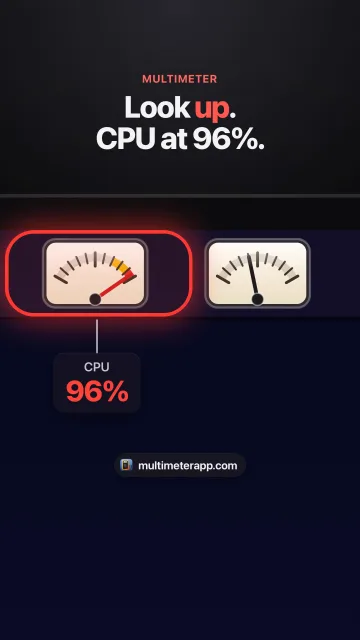
Activity Monitor tells you which app. It doesn’t stay on screen, so most people find out about heat when the fans get loud or the keyboard gets warm. Multimeter puts the numbers in the menu bar instead, as small live meters:
- CPU: total use across all cores, updated every 3 seconds on power. It turns yellow above 70% and red above 90% by default.
- Thermal pressure: Nominal, Fair, Serious or Critical, the state above. It’s a state, not degrees; Multimeter doesn’t read temperature sensors. It changes the moment macOS does, and warns at Serious and Critical.
- Fan speed: RPM, averaged across your Mac’s fans. Read only, on Macs that have fans, in the direct download version from this site (the Mac App Store doesn’t allow reading the fans). Set your own warning level, like 4,000 rpm.
- Power draw: how many watts the whole Mac is using, on MacBooks. On Intel MacBooks it only reads while on battery. A jump while you’re idle means something in the background just got busy.
Each meter turns yellow at its warning level and red at critical, and you can turn on a notification per meter so you hear about it when it goes critical. Five live meters use about 3% CPU, and they pause while the displays sleep.
How you know it’s fixed
Nothing unexpected sits at the top of Activity Monitor’s CPU list, and with everyday work the fans drop back to quiet. A Fan Speed meter in the menu bar makes that easy to see without listening for it.
Questions
Is it bad if my Mac’s fans are loud?
No. Apple calls the rushing-air sound a normal part of cooling during heavy work. Loud fans with nothing running, for a long time, are worth checking with Activity Monitor and Apple’s restart or SMC steps.
Why is my MacBook fan loud when nothing is running?
Usually something is running that you can’t see: Spotlight indexing, a sync, a background app or a forgotten tab. Sort Activity Monitor’s CPU tab by % CPU. If nothing is busy, restart (Apple silicon) or reset the SMC (Intel), and contact Apple if it continues.
Why did my Mac fan get loud all of a sudden?
Something started using the CPU: a stuck app or tab, an update, or Spotlight after a software update. Activity Monitor names it.
Why is my MacBook fan loud when charging?
Charging adds heat to whatever else the Mac is doing. Take it out of any case, keep the vents clear, and check Activity Monitor for busy apps.
Can I turn the fans down?
macOS has no fan control. On macOS Sequoia 15.1 or later, Low Power Mode helps reduce fan noise on Macs with fans. Otherwise, remove the cause of the heat.
Can Multimeter control my fans?
No. Multimeter only reads fan speed, in the direct download version, on Macs that have fans. It never changes it.
Sources
- Apple: About fans and fan noise in your Apple product
- Apple: Keep your Mac laptop within acceptable operating temperatures
- Apple: If kernel_task is using a large percentage of your Mac CPU
- Apple: About Spotlight indexing and search results
- Apple: How to reset the SMC of your Mac
- Apple: About Power Modes on your Mac
- Apple: View CPU activity in Activity Monitor
- Apple: View energy consumption in Activity Monitor
- Apple: Batteries, maximizing performance
- Apple Newsroom: the fanless MacBook Air
- Apple Developer: ProcessInfo.ThermalState
- Google: Manage tabs in Chrome (Task Manager)
- The Eclectic Light Company: % CPU in Activity Monitor